Viewing Inventory Levels
Overview
In this guide, we will explain how to view your inventory levels.
Viewing Inventory Levels
1. Click Dashboard (left menu) >Products and then click Overview:
2. On the Product Overview page, find the SKU by using the filters or search bar provided:
3. Once product results have been returned, you can view the quantity via the Inventory column. If you have stock available, this will be highlighted in green and if you do not have stock of a SKU, this will be highlighted in red. It will also show you stock available by Warehouse (should stock be stored across more than 1x warehouse location):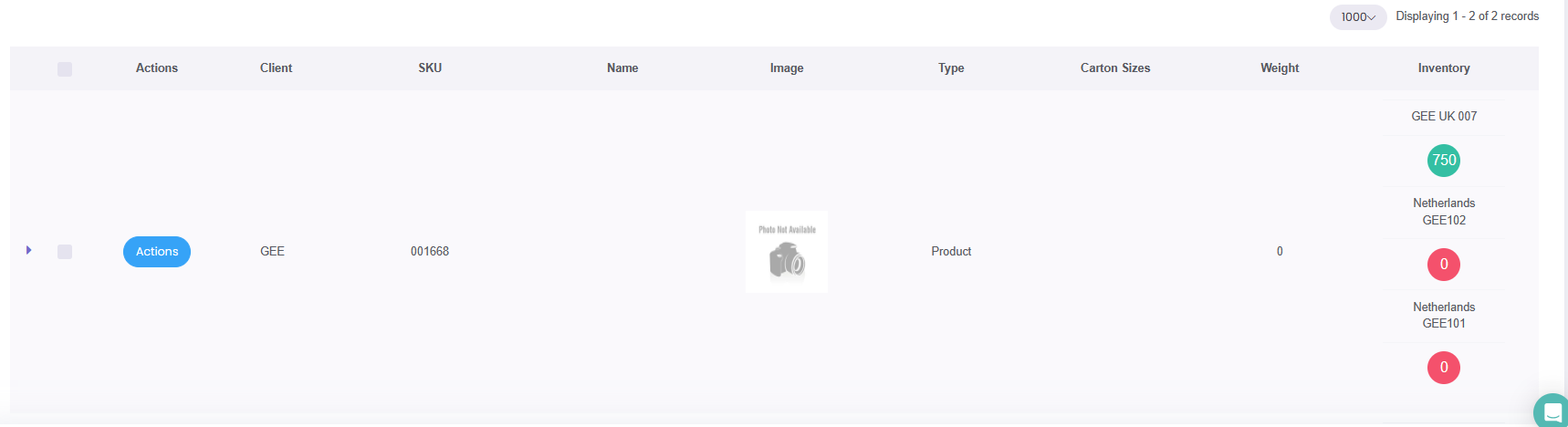
Need more help?
If you need more help, no problem. Contact us and we'll be happy to help:
3pl@globalecommexperts.com